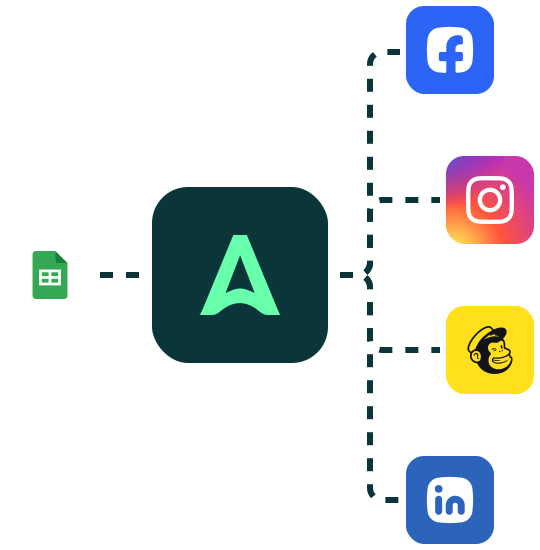


Automatically create images with Make (ex Integromat)
In this tutorial, our goal will be to automate image creation thanks to Abyssale & Integromat. This will allow you to save time if you create social media content on a regular basis



Guides and tutorials to get the most out of Abyssale inside your n8n workflows.


Yes. n8n can trigger visual generation from webhooks, databases, forms, CRMs, scheduled workflows, or custom automation logic. With the Abyssale n8n node, teams can send structured data into a source design and generate images, banners, videos, GIFs, HTML5 ads, and print-ready PDFs automatically. Available output formats depend on your Abyssale plan.
Yes. n8n workflows can watch a product database, CRM, or data feed for new or updated records and trigger banner and visual generation automatically for each change. Each data record maps to a source design and produces a finished visual asset without recreating each asset manually. This is used by e-commerce, performance marketing, and creative ops teams that manage data in databases or CRMs and need visual output at scale.
An n8n workflow can send structured data into a source design, including product names, prices, discount values, image URLs, dates, locations, CTAs, webhook payloads, database fields, CRM properties, and other content available in the workflow. Abyssale maps this data to editable layers and generates a unique visual asset for each workflow execution.
You can add the Abyssale node to any n8n workflow, connect your data source, and trigger visual generation automatically for each new record, event, or scheduled run. Instead of manually resizing, adapting, or recreating every banner, product image, or ad creative, the workflow turns structured data into finished visuals at scale without increasing repetitive production work.
Yes. n8n can trigger ad creative generation from product feeds, CRM updates, database changes, or API responses, making it suitable for e-commerce teams managing large catalogs, performance marketing teams producing multi-channel assets, and creative ops teams that need to produce high volumes of on-brand visuals from existing data without manual design work per asset.
Abyssale provides a native n8n node that turns workflow data into finished visual assets automatically. Teams use it to generate banners, product images, social posts, videos, GIFs, HTML5 ads, and print-ready PDFs from n8n triggers, including webhooks, database changes, CRM events, and scheduled runs. The node works on both cloud-hosted and self-hosted n8n instances and is used by technical marketing teams and developers who manage automation workflows in n8n and need visual output at scale. Available output formats depend on your Abyssale plan.


